
It’s a pattern I’ve watched play out on audits. A small ecommerce site goes down during a Facebook ad surge that the owner had been planning for weeks. The hosting plan is a basic shared package, around three or four dollars a month. The moment those ads start converting, the server chokes. The owner watches her own analytics drop to zero while sales were supposed to spike.
Proper WordPress hosting for high traffic separates a launch that converts from a six-hour outage during the exact moment everything was supposed to come together.
The 2026 FIFA World Cup is creating that same trap for businesses banking on event traffic. Restaurants running watch parties. Stores tied to host city promotions. Service businesses leaning into local engagement. The marketing plan is usually solid. The hosting plan is the weak link.
This guide walks through what proper hosting for traffic spikes actually looks like, with the World Cup as the immediate test case. The same logic applies to Black Friday, viral moments, or any spike a site will face during its lifetime.
Why Most WordPress Sites Crash Under Traffic Spikes
The crash starts at the server, before WordPress gets a chance to load the page. A typical shared hosting plan splits one physical server across hundreds of websites. Memory, CPU, database connections, all shared between everyone on that machine. Normal day, normal use, everything works. Then 200 visitors land within five minutes and the server cannot allocate enough resources to render pages fast enough. Some load. Most queue. Eventually the host returns 503 errors and the rest of the visitors hit a blank page.
There are usually three technical pressure points that fail first.
Server response time, or TTFB, fails first. According to Google’s web.dev guidance on Core Web Vitals, this metric measures how long it takes a server to send the first byte of data back to the browser. Solid hosting under load tends to keep TTFB under 600 milliseconds. Budget shared hosting climbs past two seconds during spikes, and Google starts treating the site as slow even if it eventually loads.
Then the database starts failing. Every WordPress page request runs multiple MySQL queries to pull content, options, settings. Under traffic, the database connection pool fills up. New visitors wait. Page loads stall. Some hosting providers cap MySQL connections at 25 or 30 on shared plans, which means the 31st simultaneous request is already broken before anything else has gone wrong.
PHP processes are the last common breaking point. WordPress runs PHP for every page that isn’t fully cached. Most shared hosts cap PHP workers at a low number to keep one site from hogging the entire server. Once that cap hits during a spike, every additional request waits in queue. Some just time out.
The fix has to happen at the hosting layer. More plugins and cache settings cannot solve a resource ceiling that’s already been hit.
What WordPress Hosting for High Traffic Actually Includes
Proper hosting works differently during a spike. The server resources are dedicated, so other sites can’t drain your pool. Caching happens at the server level, which lets the host serve cached pages without ever touching PHP. The infrastructure can also scale temporarily when traffic surges, expanding to meet demand instead of hitting a fixed cap.
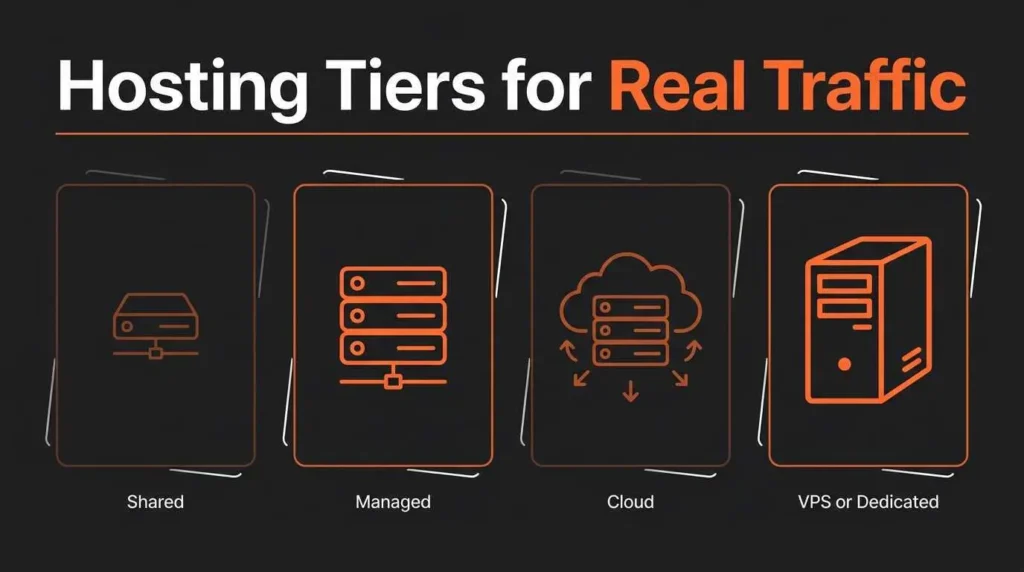
In practice, that translates into a few hosting categories worth knowing. Each fits a different stage of business.
| Hosting Type | Cost Range | How It Handles Spikes | Best Fit |
| Shared (Bluehost, HostGator, low-tier GoDaddy) | $3 to $10/mo | Often struggles during traffic peaks | Hobby sites, no commerce |
| Managed WordPress (Kinsta, WP Engine, Pressable) | $30 to $100+/mo | Built for event-driven spikes, caching and CDN included | Established small business, growing brand |
| Cloud (Cloudways, Rocket.net) | $14 to $80/mo | Auto-scales server resources during spikes | Ecommerce, content-heavy sites |
| VPS or Dedicated | $50 to $300+/mo | Full control, scaled manually | High-traffic ecommerce, large content operations |
The managed WordPress and cloud categories are usually where small businesses planning event traffic land. Pricing sits not far off from a single solid plugin license, and most of these providers handle migration as a free included service.
Speed alone won’t fix every issue, though. A site loaded with unoptimized plugins, oversized images, or heavy page builders will still feel sluggish even on Kinsta or Cloudways. That’s why hosting work usually gets paired with a proper WordPress speed cleanup before the move delivers its full impact.
When to Move and Who Should Help
The migration decision usually comes down to two signals. The site is currently slow under normal traffic, and you have a known traffic event coming. Both signals together make the move overdue.
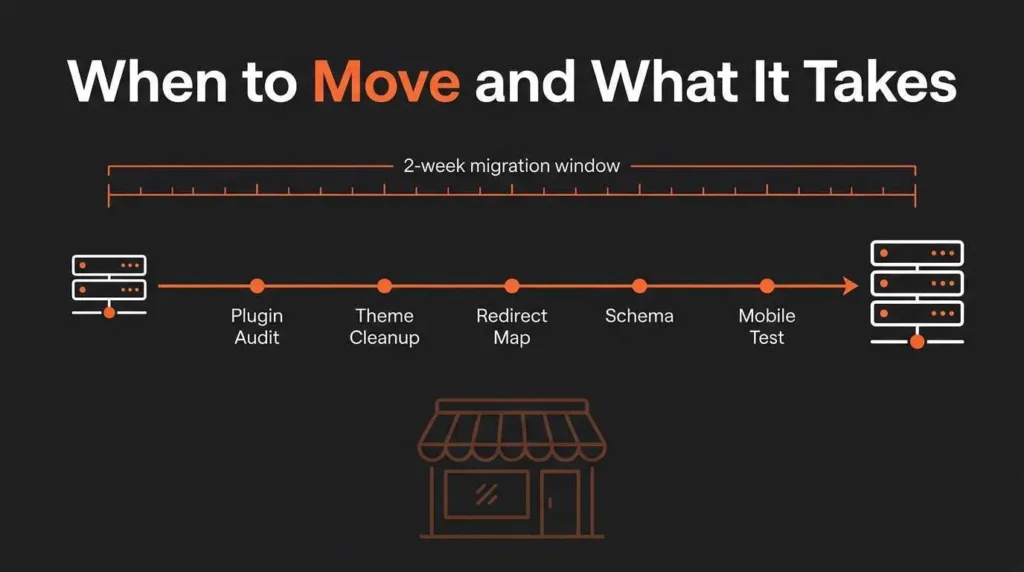
A planned World Cup activation, a product launch, a viral campaign, all of these create predictable spikes. Moving hosting two weeks before a planned event tends to work cleanly. Moving hosting two hours into a live spike usually doesn’t.
For most small businesses, the technical move itself takes about a day. Managed hosts like Kinsta and WP Engine handle the entire migration for free, including DNS updates and SSL renewal. The work that actually decides the outcome is what happens around that migration. Plugin audits, theme cleanup, redirect mapping, schema preservation, and post-migration testing across mobile and desktop. Skip that work and the new host’s improvements usually get masked by broken redirects and lost rankings for two weeks. That is why ongoing WordPress maintenance services matter after a hosting move, especially when plugin updates, cache settings, backups, redirects, and performance checks need to stay stable.
If your current hosting setup feels uncertain before a real traffic moment, or you’re planning a build that needs to be ready for spikes from day one, our WordPress development work covers hosting selection, migration, and the cleanup that decides whether the new host actually delivers the upgrade you paid for.
For owners weighing this against the World Cup window or the next high-traffic moment on the calendar, start a project with us and we’ll audit your current setup before recommending any host or move.
Hosting Questions Owners Usually Ask
Can I switch WordPress hosting without my site going down?
Yes, when done properly. Most managed hosts perform what’s called a parallel migration, where the new site is built and tested before DNS gets pointed away from the old host. Downtime usually stays under five minutes if the migration is planned correctly.
Does upgrading WordPress hosting actually improve SEO rankings?
Often, yes. Faster server response times improve Core Web Vitals, which Google uses as a ranking signal. Bounce rate also tends to drop on faster sites. The effect usually shows up in three to six weeks after migration, assuming the rest of the site is solid.
How can I tell if my current hosting can handle World Cup traffic?
Run a simulated load test using tools like LoadNinja or k6. Also check your hosting provider’s documentation for stated concurrent visitor limits. If neither answer feels confident, the hosting probably can’t handle a real spike.
